Mastering Digital Decluttering: Reclaim Your Online Space for Enhanced Productivity in 2026

In an increasingly connected world, our digital lives often mirror our physical ones – cluttered, overwhelming, and in desperate need of a good tidy-up. As we step into 2026, the sheer volume of information, notifications, and virtual possessions can feel like a constant drain on our mental energy and productivity. This is where the concept of digital decluttering guide becomes not just a helpful practice, but an essential skill for navigating the modern landscape. Imagine a digital space where everything serves a purpose, where distractions are minimized, and where your online environment actively supports your goals rather than hindering them. This isn’t a pipe dream; it’s an achievable reality through mastering digital decluttering.
Our digital lives are a reflection of our daily interactions, encompassing everything from overflowing email inboxes and disorganized cloud storage to a myriad of unused apps and an endless scroll through social media feeds. This constant digital noise contributes to what experts call ‘digital overload,’ leading to increased stress, decreased focus, and a significant dip in overall productivity. The good news is that just like organizing your physical home can bring a sense of peace and efficiency, a structured approach to your digital domain can yield similar, if not greater, benefits. This comprehensive digital decluttering guide is designed to equip you with the knowledge and actionable steps needed to transform your online existence. We’ll explore why digital decluttering is more important than ever, delve into the psychological benefits of a streamlined digital life, and provide a clear, step-by-step methodology to help you reclaim your focus, time, and mental clarity.
The goal isn’t just to delete a few old files; it’s about cultivating a mindful approach to your digital interactions, ensuring that every app, every subscription, and every notification adds value to your life. By the end of this guide, you’ll have a clear roadmap to a more organized, productive, and peaceful digital future. Let’s embark on this journey to a less cluttered, more intentional online experience.
The Ever-Growing Digital Mess: Why Digital Decluttering is Crucial in 2026
The digital world is expanding at an unprecedented rate. Every day, we’re bombarded with new apps, services, and content, each vying for our attention. This constant influx, while offering convenience and connection, often comes at the cost of our mental bandwidth. Consider the average person’s digital footprint: multiple email accounts, dozens of social media profiles, countless photos and videos stored across various platforms, a subscription service for almost everything, and a smartphone brimming with apps – many of which haven’t been opened in months. This digital sprawl isn’t benign; it has tangible consequences for our well-being and efficiency.
One of the primary reasons a robust digital decluttering guide is essential in 2026 is the impact of digital overload on our cognitive functions. Studies have shown that constant notifications and the mere presence of digital devices can reduce our ability to focus and concentrate. Our brains are constantly switching contexts, leading to what’s known as ‘attention residue,’ where remnants of our previous task linger and interfere with our current one. This fragmented attention makes deep work incredibly difficult and contributes to feelings of being constantly overwhelmed and unproductive.
Furthermore, digital clutter can lead to significant stress and anxiety. The fear of missing out (FOMO) keeps us tethered to social media, while an overflowing inbox can feel like an insurmountable mountain of tasks. The constant pressure to be ‘always on’ erodes our ability to truly disconnect and recharge. Financially, unchecked digital subscriptions can silently drain our bank accounts, often for services we barely use. From a data security perspective, a sprawling digital presence with old accounts and forgotten passwords creates numerous vulnerabilities. Therefore, embracing a systematic digital decluttering guide is not just about aesthetics; it’s about protecting our mental health, improving our productivity, safeguarding our finances, and enhancing our digital security.
The digital landscape of 2026 demands a proactive approach. As artificial intelligence becomes more integrated into our daily tools and the Internet of Things (IoT) expands, our digital footprint will only grow larger and more complex. Without intentional effort to manage this growth, we risk being consumed by it. A well-executed digital decluttering strategy allows us to regain control, making technology serve us, rather than the other way around. It’s about creating a digital environment that is clean, efficient, and conducive to a mindful and productive life.
The Psychological Benefits of a Streamlined Digital Life
Beyond the immediate gains in productivity, the act of digital decluttering offers profound psychological benefits that contribute to overall well-being. A cluttered digital space often mirrors a cluttered mind, filled with distractions and unfinished thoughts. By applying a systematic digital decluttering guide, you’re not just organizing files; you’re cultivating mental clarity and reducing cognitive load. This process can significantly alleviate stress and anxiety, which are often exacerbated by the constant demands of our digital devices.
One of the most immediate psychological benefits is a heightened sense of control. In a world where we often feel overwhelmed by external forces, taking charge of our digital environment provides a powerful feeling of agency. Deciding what stays and what goes, unsubscribing from unwanted newsletters, and curating your social media feeds empowers you to create a digital space that aligns with your values and goals. This control translates into reduced decision fatigue, as you spend less time sifting through irrelevant information or responding to unnecessary notifications.
Moreover, a streamlined digital life fosters improved focus and attention span. When distractions are minimized, your brain has the capacity for deeper concentration, leading to higher quality work and more meaningful engagement with tasks. This enhanced focus can spill over into other areas of your life, improving your ability to listen actively, engage in conversations, and be present in the moment. The constant urge to check devices diminishes, allowing for more uninterrupted periods of work, rest, and connection with the real world.
Digital decluttering also contributes to better sleep. The blue light emitted from screens and the stimulating content we consume late at night can disrupt our circadian rhythms. By setting boundaries and creating a more intentional digital routine, you can improve your sleep hygiene, leading to more restorative rest and increased energy levels during the day. Ultimately, following a comprehensive digital decluttering guide is an investment in your mental health, leading to a calmer, more focused, and more contented existence in the digital age.
Step 1: The Digital Inventory – Assessing Your Current State
The first and arguably most crucial step in any effective digital decluttering guide is to take a thorough inventory of your current digital landscape. You can’t clean what you don’t know you have. This step is about gaining a comprehensive understanding of your digital footprint across all devices and platforms. Think of it as a digital audit, where you meticulously examine every corner of your online presence. This process can be eye-opening, revealing just how much digital ‘stuff’ you’ve accumulated over the years.
A. Devices and Storage
- Computers (Desktops & Laptops): Start with your primary work and personal computers. Go through your desktop, documents folder, downloads, pictures, videos, and applications. Are there old installers? Duplicate files? Documents from projects long past?
- Smartphones & Tablets: Examine your home screens, app lists, photo galleries, video collections, and downloaded files. How many apps do you genuinely use? How many photos are blurry, duplicates, or no longer relevant?
- Cloud Storage: Check Google Drive, Dropbox, iCloud, OneDrive, etc. These often become black holes for old files, shared documents, and backups that are no longer needed. Assess each folder and file within these services.
- External Hard Drives & USBs: Don’t forget physical digital storage. Often, these contain old backups or files that have since been migrated or become redundant.
B. Digital Accounts and Subscriptions
- Email Accounts: List all your active and inactive email addresses. How many newsletters are you subscribed to? How many old accounts are linked to these emails?
- Social Media Profiles: Catalog all your social media accounts, including those you rarely use. Consider platforms like Facebook, Instagram, Twitter, LinkedIn, Pinterest, TikTok, etc.
- Online Services & Subscriptions: Make a list of all online services you’re subscribed to, from streaming platforms (Netflix, Spotify) to SaaS tools, online newspapers, and fitness apps. Include free trials you might have forgotten about.
- Shopping & E-commerce Accounts: Websites where you’ve created accounts for purchases (Amazon, eBay, specific retailers).
C. Digital Habits and Usage Patterns
- Screen Time Reports: Utilize built-in screen time trackers on your phone and computer to understand where your digital attention is truly going. Which apps consume the most time?
- Notification Overload: Pay attention to how many notifications you receive daily and from which apps.
- Digital Information Consumption: Reflect on your news sources, podcasts, and blogs. Are they adding value or just noise?
This inventory phase is not about immediate action, but about observation. Document everything, perhaps in a simple spreadsheet or a notebook. The goal is to create a clear picture of your current digital state, which will inform the subsequent steps of this digital decluttering guide. Be honest with yourself about what you have and how you use it. This foundational understanding is what will make the rest of your decluttering journey effective and sustainable.
Step 2: Delete, Consolidate, and Organize – The Core Decluttering Process
Once you have a clear inventory of your digital assets, it’s time to roll up your sleeves and begin the actual decluttering. This step, central to any effective digital decluttering guide, involves making decisions about what to keep, what to discard, and how to organize the remaining essentials. Approach this with a ‘less is more’ mindset, focusing on value and utility.
A. Digital Files and Storage
- Delete Ruthlessly: Go through your documents, photos, and videos. Delete duplicates, blurry images, screenshots you no longer need, and old versions of files. Ask yourself: ‘Do I genuinely need this? Does it bring me joy or serve a practical purpose?’ If not, delete it.
- Consolidate & Categorize: Instead of files scattered everywhere, create a logical folder structure. Group similar items together (e.g., ‘Work Projects,’ ‘Personal Photos 2024,’ ‘Financial Documents’). Use consistent naming conventions.
- Cloud Management: Apply the same principles to your cloud storage. Delete unnecessary files, organize existing ones into clear folders, and consider consolidating files from multiple cloud services into one primary one if feasible.
- Empty the Trash/Recycle Bin: After deleting, ensure you permanently remove items from your device’s trash or recycle bin to free up space.
B. Email Inbox Overhaul
Your email inbox is often the most overwhelming digital space. This part of the digital decluttering guide requires a strategic approach:
- Unsubscribe Aggressively: For every marketing email or newsletter you don’t read, hit that unsubscribe button. Use services like Unroll.me (with caution regarding privacy) or manually unsubscribe.
- Delete & Archive: Delete emails that are no longer relevant (promotions, old notifications). Archive emails you might need for reference but don’t require immediate action.
- Create Folders/Labels: Set up a system of folders or labels for emails you need to keep (e.g., ‘Receipts,’ ‘Important Work,’ ‘Personal Correspondence’).
- Process New Emails: Adopt the ‘touch it once’ rule. When a new email arrives, immediately decide: delete, respond, delegate, or defer.
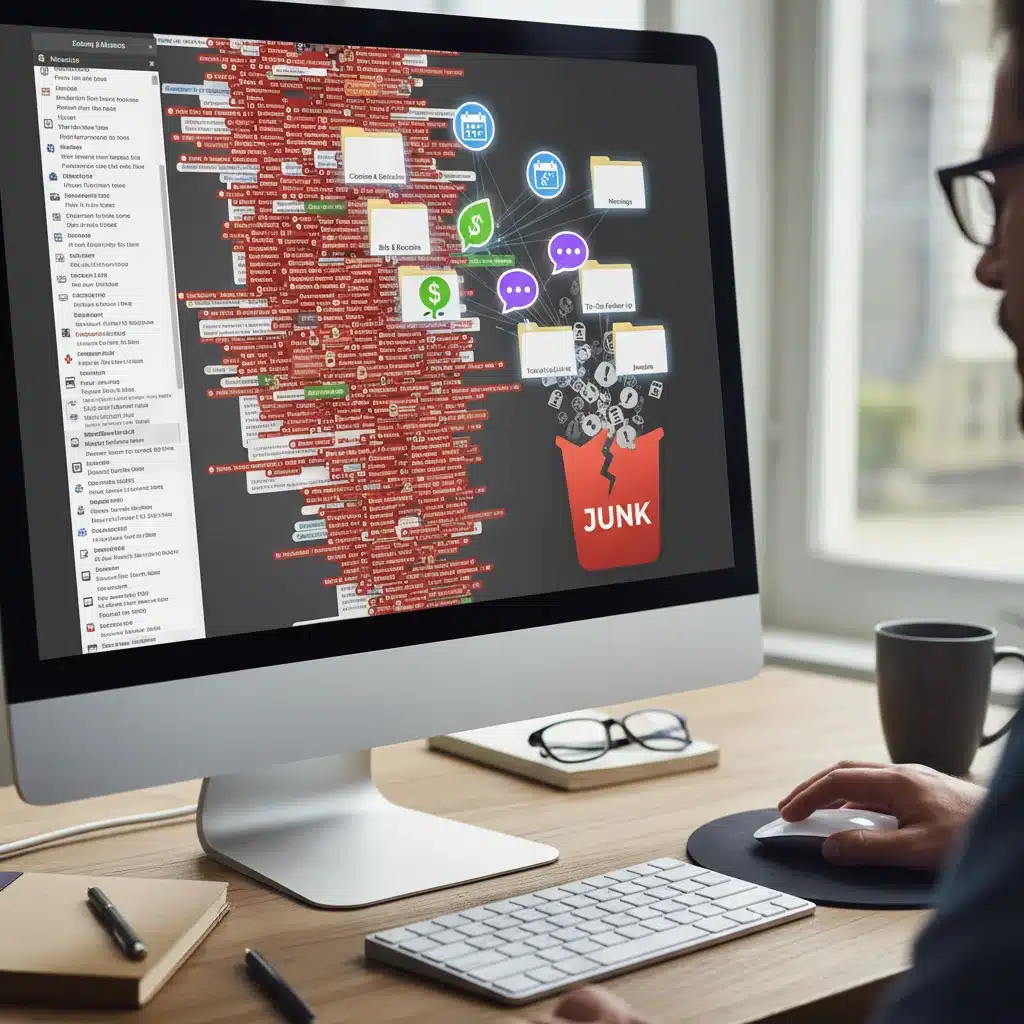
C. Apps and Software
- Uninstall Unused Apps: On your phone, tablet, and computer, delete any app you haven’t used in the last month or two. Be ruthless. If you need it again, you can always re-download it.
- Organize Remaining Apps: Group similar apps into folders on your smartphone (e.g., ‘Productivity,’ ‘Social,’ ‘Utilities’). Keep your home screen minimal, with only essential apps easily accessible.
- Review Browser Extensions: Many browser extensions can slow down your computer and pose security risks. Remove any you don’t actively use or need.
This phase is where the bulk of the ‘work’ happens. It can be time-consuming, but the sense of relief and newfound efficiency will be well worth the effort. Remember, the goal of this digital decluttering guide is to create a digital environment that supports your focus and productivity, not detracts from it.
Step 3: Managing Digital Notifications and Social Media
Notifications and social media are often the biggest culprits in digital distraction and overload. This step in our digital decluttering guide focuses on taming these attention vampires to reclaim your focus and mental peace.
A. Taming Notifications
- Audit Your Notifications: Go into the settings of your phone and computer and review every app’s notification permissions. For each app, ask: ‘Do I absolutely need to be notified by this immediately?’
- Turn Off Non-Essential Notifications: For most apps (especially social media, games, and non-critical news), turn off all notifications. You can always check these apps when you choose to, rather than being constantly interrupted.
- Prioritize Critical Alerts: Keep notifications on for truly essential communications, such as calls, text messages from close contacts, and critical work alerts. Even then, consider silencing visual alerts for some of these.
- Utilize ‘Do Not Disturb’ Modes: Schedule ‘Do Not Disturb’ or ‘Focus’ modes during work hours, study time, or before bed. This creates dedicated periods of uninterrupted concentration or rest.
B. Curating Your Social Media Experience
- Unfollow/Unfriend Accounts: Go through your social media feeds. Unfollow accounts that no longer inspire, inform, or entertain you. Unfriend people you no longer interact with or whose content causes negative emotions.
- Mute & Hide: If unfollowing isn’t an option (e.g., for family members), most platforms allow you to mute or hide posts from specific individuals without unfriending them.
- Delete Inactive Accounts: If you have social media profiles you haven’t used in years, consider deleting them entirely. This reduces your digital footprint and potential security risks.
- Set Time Limits: Use built-in app limits or third-party tools to restrict your time on social media platforms. Be mindful of how much time you spend passively scrolling versus actively engaging.
- Be Intentional: Before opening a social media app, ask yourself: ‘Why am I opening this? What do I hope to gain?’ This intentionality can break the habit of mindless scrolling.
The goal here is not necessarily to abandon social media entirely, but to transform it from a source of distraction and comparison into a tool that serves your interests and connections. By being deliberate about what information and interactions you allow into your digital space, you can significantly reduce mental clutter and improve your overall digital well-being. This is a vital component of any effective digital decluttering guide aimed at long-term digital peace.

Step 4: Digital Security and Privacy Clean-up
Digital decluttering isn’t just about aesthetics and productivity; it’s also profoundly about security and privacy. A messy digital life often translates to vulnerabilities that can be exploited. This critical step in our digital decluttering guide focuses on fortifying your online defenses and protecting your personal information in 2026.
A. Password Management
- Strong, Unique Passwords: The days of using ‘password123’ or variations of your pet’s name are long gone. Create strong, unique passwords for every single online account.
- Password Manager: Invest in a reputable password manager (e.g., LastPass, 1Password, Bitwarden). These tools generate strong passwords, store them securely, and auto-fill them for you, eliminating the need to remember dozens of complex combinations. This is a cornerstone of digital security.
- Update Old Passwords: As part of your decluttering, identify and update any old or weak passwords, especially for critical accounts like email and banking.
B. Two-Factor Authentication (2FA)
- Enable 2FA Everywhere: Wherever possible, enable two-factor authentication (also known as multi-factor authentication). This adds an extra layer of security, typically requiring a code from your phone or a hardware key in addition to your password.
- Prioritize Critical Accounts: Ensure 2FA is enabled for your email, banking, social media, and cloud storage accounts first.
C. Privacy Settings Review
- Social Media Privacy: Regularly review the privacy settings on all your social media platforms. Limit who can see your posts, photos, and personal information. Be mindful of location sharing.
- App Permissions: On your smartphone, go through each app’s permissions. Does a game really need access to your contacts or microphone? Revoke unnecessary permissions.
- Browser Privacy: Review your browser’s privacy settings. Consider using privacy-focused browsers or extensions that block trackers and third-party cookies.
- Data Broker Removal: In 2026, consider services that help you remove your personal information from data broker websites that sell your data.
D. Old Account Deletion
- Identify and Delete Inactive Accounts: During your digital inventory (Step 1), you likely identified old accounts for services you no longer use (e.g., old forums, defunct shopping sites, forgotten social media profiles). Actively seek to delete these accounts. This reduces your digital footprint and potential points of attack.
- Check for Data Breaches: Use websites like ‘Have I Been Pwned?’ to check if any of your email addresses have been compromised in data breaches. If so, immediately change passwords for those accounts and any others where you used the same password.
A robust digital security and privacy clean-up is an integral part of a holistic digital decluttering guide. It not only protects you from cyber threats but also gives you greater peace of mind, knowing that your personal information is as secure as possible in the complex digital environment of 2026.
Step 5: Maintaining a Decluttered Digital Lifestyle – Ongoing Practices
Digital decluttering isn’t a one-time event; it’s an ongoing process. The digital world is constantly evolving, and so too should your strategies for managing it. This final step in our digital decluttering guide focuses on establishing habits and routines that ensure your digital space remains clean, organized, and conducive to productivity and well-being in the long term.
A. Regular Digital Maintenance
- Weekly Mini-Declutter: Dedicate 15-30 minutes each week to a ‘digital tidy-up.’ This could involve clearing your desktop, unsubscribing from a few newsletters, deleting unnecessary photos, or organizing a few files.
- Monthly Deep Dive: Once a month, allocate an hour or two for a more thorough review. Check app usage, review cloud storage, and assess your social media feeds.
- Annual Digital Audit: Once a year, repeat a more comprehensive version of Step 1, taking a full inventory of your digital life to ensure everything is still aligned with your needs and goals.
B. Implement Digital Boundaries
- No-Phone Zones/Times: Designate specific times or areas in your home as phone-free (e.g., dining table, bedroom before sleep).
- Digital Detox Periods: Periodically take short digital breaks – a few hours, a day, or even a weekend – to completely disconnect. This helps reset your brain and reminds you of life beyond screens.
- Mindful Consumption: Before engaging with any digital content, ask yourself if it’s truly adding value. Avoid mindless scrolling or passive consumption.
C. Be Intentional with New Digital Additions
- The ‘One In, One Out’ Rule: Before downloading a new app or subscribing to a new service, consider if you can remove an existing one that serves a similar purpose or is no longer needed.
- Consider the Value: Before signing up for anything new, pause and evaluate its true value. Will it genuinely enhance your life or just add to the clutter?
- Organize from the Start: When creating new files or accounts, immediately place them in their designated folders or apply appropriate labels. Proactive organization prevents future clutter.
D. Educate Yourself and Adapt
- Stay Informed: Keep abreast of new digital tools, security best practices, and privacy concerns. The digital world is constantly changing, and so should your strategies.
- Be Flexible: What works today might not work tomorrow. Be open to adjusting your digital habits and tools as your needs and the technological landscape evolve.
By integrating these ongoing practices into your daily and weekly routines, you can ensure that the benefits gained from following this digital decluttering guide are not just temporary, but sustainable. Maintaining a decluttered digital lifestyle is an act of self-care, leading to a more focused, productive, and peaceful existence in the digital age.
Conclusion: Your Path to Digital Freedom in 2026
Navigating the complexities of the digital world in 2026 requires more than just technical prowess; it demands intentionality, discipline, and a clear strategy. This comprehensive digital decluttering guide has provided you with a powerful framework to transform your online space from a source of overwhelm into a catalyst for productivity and peace. By systematically going through the steps of inventorying your digital life, ruthlessly deleting and organizing, taming notifications and social media, bolstering your security, and establishing ongoing maintenance routines, you are not just cleaning up; you are fundamentally reshaping your relationship with technology.
The benefits extend far beyond a tidy inbox or a minimalist home screen. You’ll experience reduced stress, enhanced focus, improved mental clarity, better sleep, and a stronger sense of control over your digital destiny. Imagine the extra hours reclaimed, the mental energy freed up, and the deep satisfaction of knowing that your digital environment is working for you, not against you. This journey towards digital freedom is an investment in your overall well-being, allowing you to engage more meaningfully with your work, your relationships, and your life outside the screen.
Remember, digital decluttering is not a one-time chore but a continuous practice. The digital world will continue to grow, but with the habits and strategies outlined in this guide, you are now equipped to manage that growth proactively. Embrace the power of a decluttered digital life, and step into 2026 with renewed focus, enhanced productivity, and a profound sense of digital peace. Your journey to a more intentional and mindful digital existence starts now.